TempoReps · Practical guide
A timer you can set once, then find again.
Before opening any app, name what the timer needs to do: count repetitions with distinct phases, alternate work and rest, or move through a circuit. That choice makes the settings easier to check.
Read the steps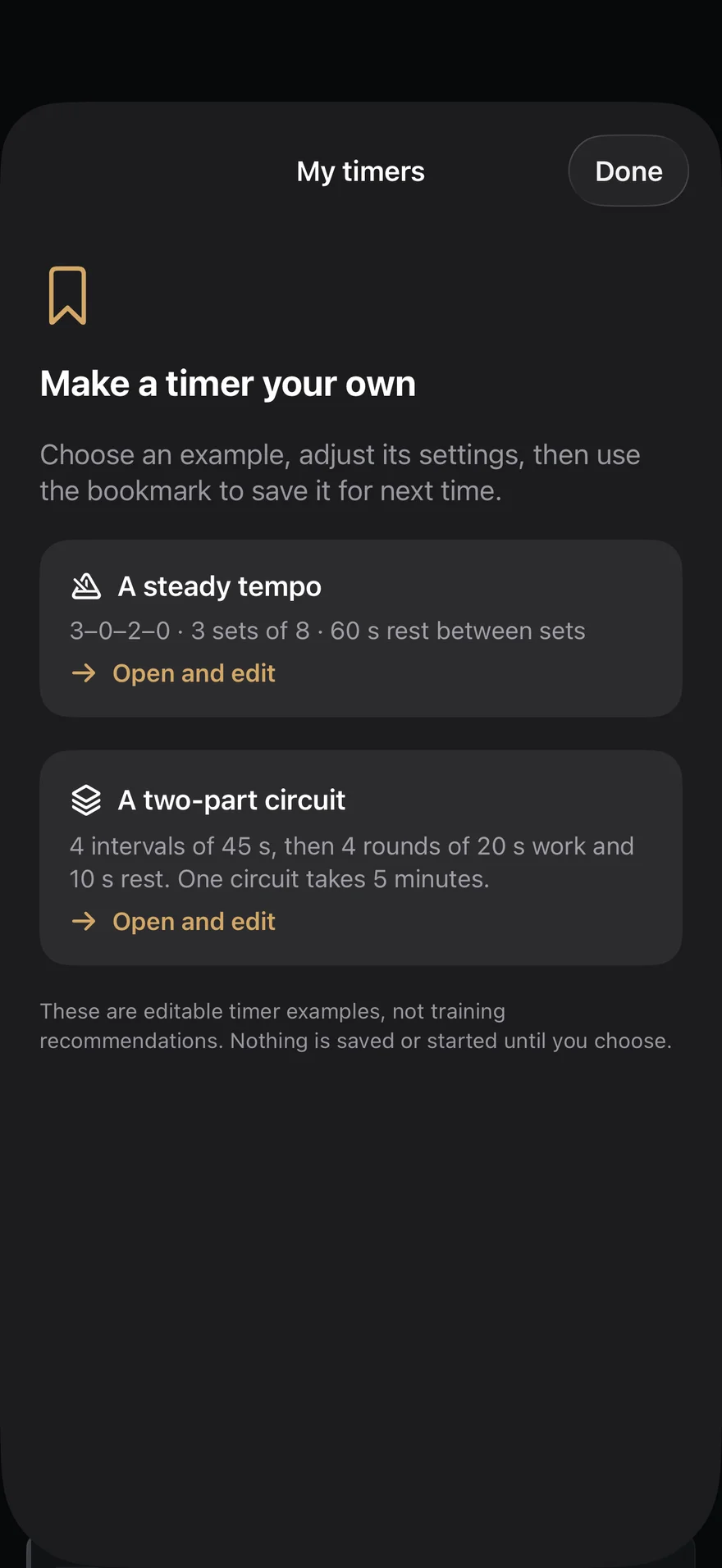
1. Choose the shape of the timer
Use Tempo for repetitions with an eccentric phase, pauses and a concentric phase. Use Tabata for repeated work/rest intervals, EMOM for intervals beginning each minute, or MIX when a circuit needs different blocks in sequence. A plain Rest timer is enough if you only need the time between sets. You can decide this on paper first: list the phases in the order you want to hear them.
2. Write the phases before pressing Start
For a circuit, write each block on a separate line with its duration and the number of repeats; check where rest belongs. For Tempo, write the four parts of one repetition in order, then sets and repetitions. Read the sequence aloud once. If a transition sounds wrong, change the settings before the session rather than mid-timer.
An example configuration, not a training prescription
Example only: MIX with two blocks — 30 seconds of activity, then 30 seconds of rest. It shows how to test the transition between two phases; it does not specify an exercise, intensity, number of rounds or a recommended workout. Change both durations and the structure to fit your own plan.
3. Save, then restart from the library
On iPhone, an empty TempoReps library offers editable Tempo and two-part circuit examples. Opening one gives you an unsaved draft: adjust it, test it and tap the bookmark to keep your version. Later, open that saved configuration in the library instead of entering the phases again. The free tier allows two saved configurations and a MIX circuit of up to two blocks; Pro raises the library limit and removes the MIX block limit. All nine timer modes remain available for free.