

FastZen iOS

A routine.At your pace.

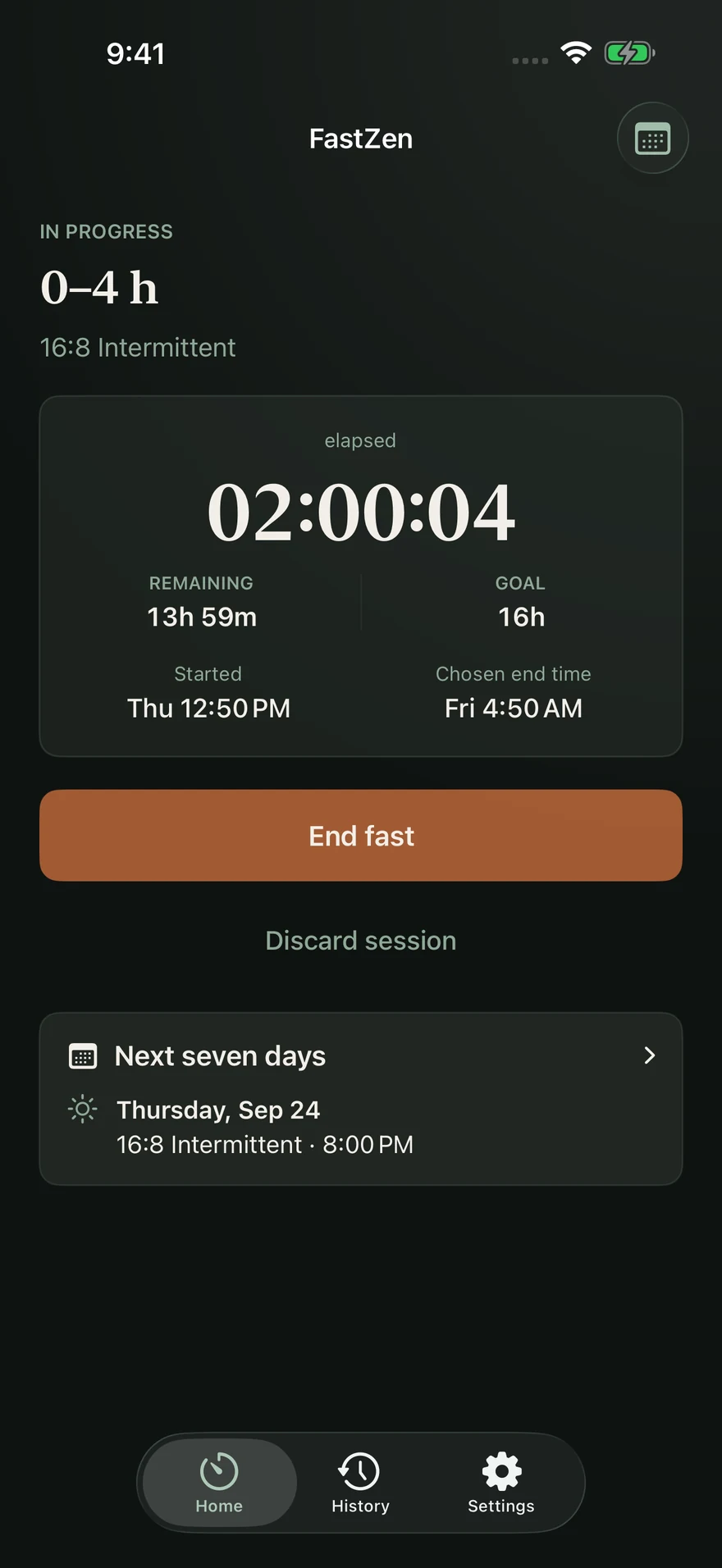
Choose your days and start time. FastZen keeps elapsed and remaining time within sight.

Purchase options and compatibility are detailed in the App Store listing and in the app.

FastZen: Fasting Timer — Product preview 1
The current session

What it does FastZen

Less setup every day.

SEE THE NEXT SEVEN DAYS

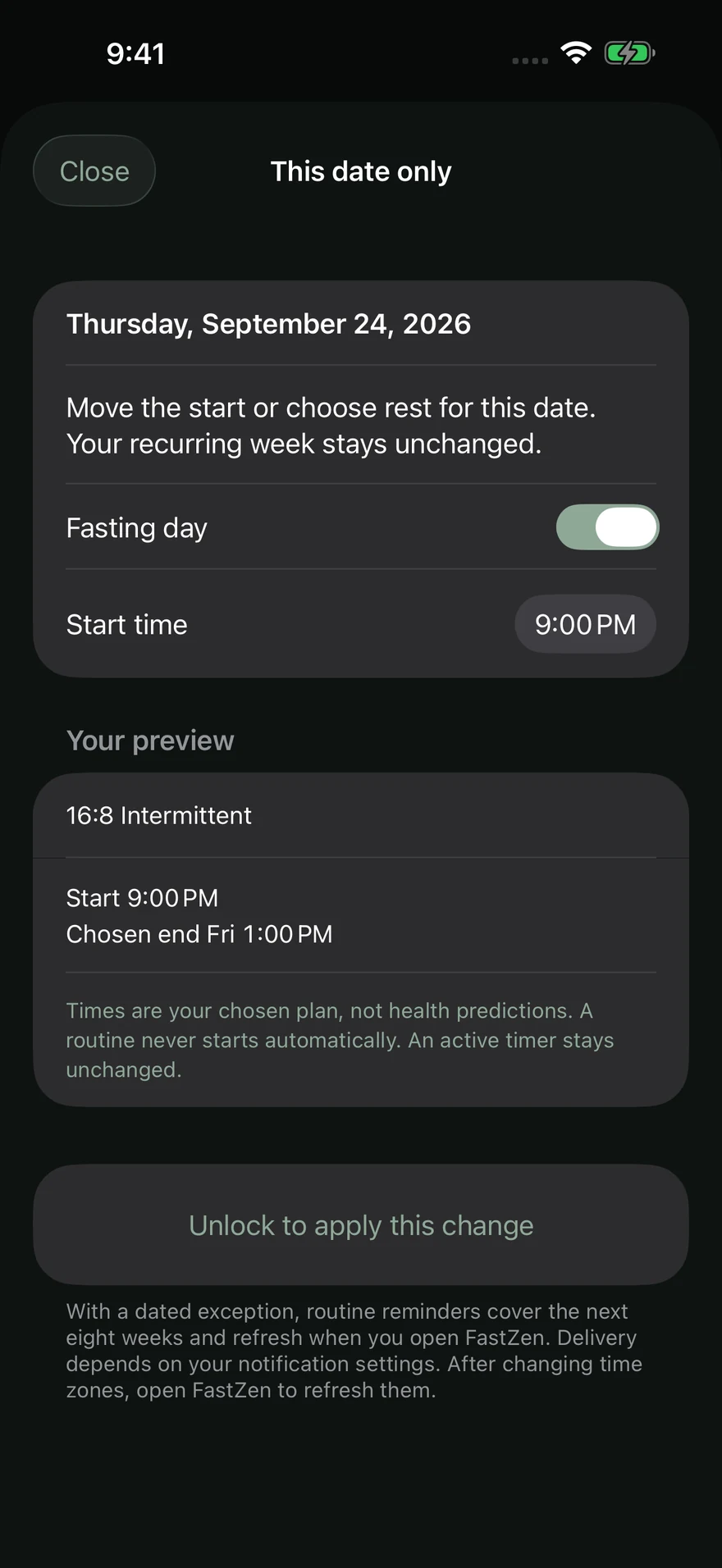
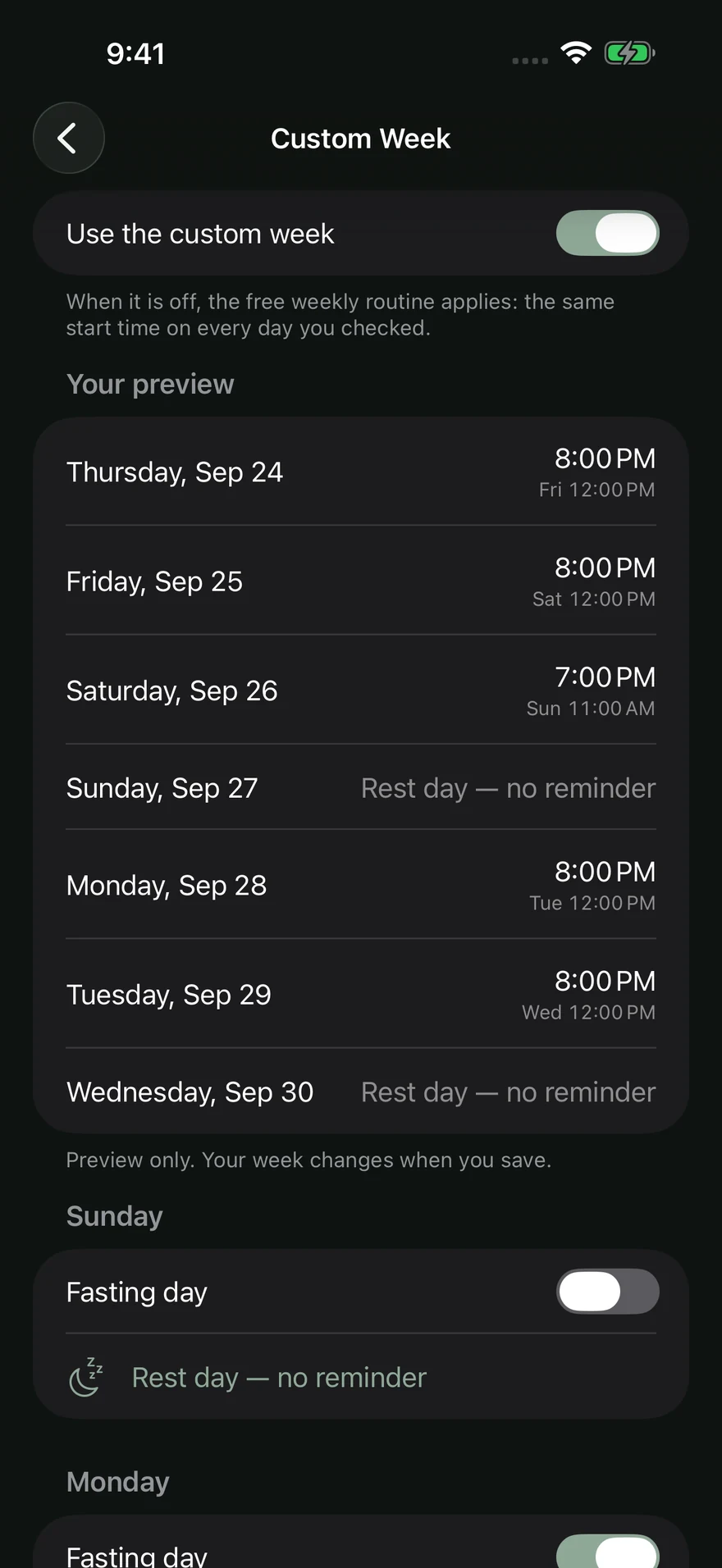
Preview your personal schedule before any purchase. With Custom Week, move a start or take a rest day for one date only, without changing the recurring week. Dates and start times follow your local time zone. With a dated exception, reminders cover the next eight weeks and refresh when you open FastZen.
Plan your week

Set your routine’s days and start time, and change them when your schedule changes.

Follow the time

See elapsed and remaining time in the app and on your Lock Screen.

Keep a record

Review your personal history. FastZen is a timer, not medical guidance.

FastZen: Fasting Timer — Product preview 2
A change for one date
FastZen: Fasting Timer — Product preview 3
The Custom Week preview
Read the full description

Follow your current fast and organize a week that fits your routine.

Start or end your timer, adjust times and review your history. Rest days belong in your schedule: the plan should fit your life, not the other way around.

The core timer is free. Custom Week is available as a one-time purchase, without a subscription. People who used FastZen before version 1.1.0 keep that access without paying.

This is a tracking tool, not medical advice or a weight-loss promise.

How to customize your week

Support

A question or something to report?

Describe your question or the issue you encountered. Your message will be sent to support through Formspree.